An expiry date turns itself into work
Licence, support and warranty expiry raises one alert each at 90 days, 30 days, 7 days and on the day itself, and the first threshold opens a single follow-up task for the device. A date already in the past creates that task as urgent. The same device, date and threshold never produce a second task or notification, so nobody is buried in alerts.
Renewing keeps the period history
Change the date and a new lifecycle begins, with fresh follow-up generated for the new date, while the previous period’s record is not deleted. How many times a server’s maintenance contract has been renewed, and at what intervals, stays on the record. You do not keep that history in a separate spreadsheet.
Renewal ownership is never vague
The task is tied to the department the inventory record belongs to, and lands on the owner you choose in the automation settings. Notifications go out by email, WhatsApp or both; the two channels run independently and leave separate audit trails. Task and notification show the device’s current user alongside earlier users from the assignment history, so you can see who a renewal will affect.
What is already in use needs no price
Licences, subscriptions, support and warranties already running sit in an “Existing” state: no price to enter, and no cost or margin fields kept. They still feed inventory, the licence and support view, and renewal notifications. Legacy spreadsheets are read server side, matched against records you already have, and duplicate lifecycle rows are skipped.
A licence never invents a device
Hardware attaches to a device in inventory when it is recorded, and can create a new hardware record if none is picked. A Microsoft 365 subscription, a protection licence, vendor support or a service is not a device: nothing fictitious is added to inventory. Where it fits, the record links to a device you already have and updates that device’s licence, support and warranty lifecycle. A product can only pair with a device in the same scope.
Cost stops at the role boundary
Technical users see the product, its model, quantity, linked device and the licence, support and warranty dates; cost, sell price, margin, supplier and commercial notes are not merely hidden in the interface but never sent to them at the API level. Portal users see only their own products and expiry dates — cost, gross margin, commission and supplier purchase prices never travel there. In organization mode cost and margin are not a subject at all.
Four concepts stay apart
The catalogue is a reusable template and belongs to nobody; a quote is a price snapshot in time; a customer product is what is in use; inventory is the physical device. The flow runs one way: catalogue, quote, won or existing product, a device record where needed, then renewal and support. Each step copies from the one before instead of depending on it, so a later change cannot rewrite history.
Service-provider side: sending locks the quote
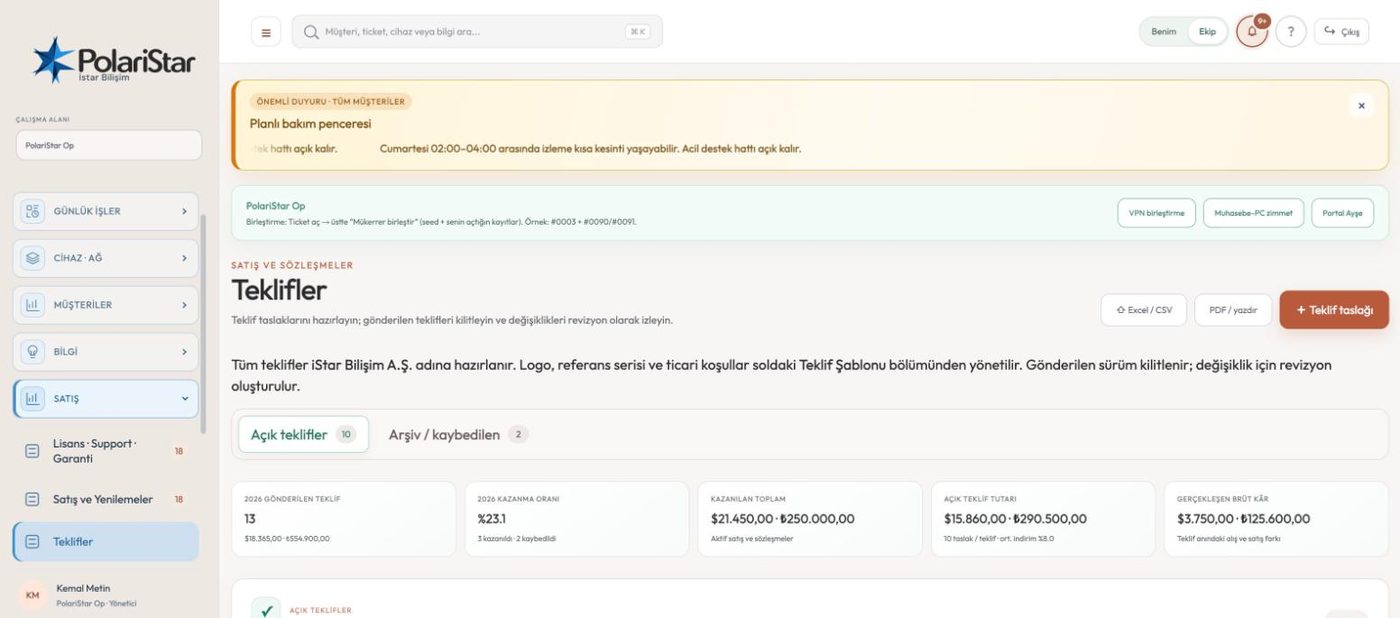
This point and the next appear only on the MSP surface. The quote version the customer received cannot be edited; when products, prices or scope must change, “Revise quote” opens a new draft such as R2 or R3 under the same quote root and the sent version stays read-only in the history. Reports and CSV exports carry the quote number and the revision number in separate columns, so old and new totals never blend.
Service-provider side: catalogue, suppliers and commission
When a quote is saved, the product name, description, quantity, cost and sell price, discount, currency and chosen supplier are stored as they were at that moment, so a later catalogue or exchange-rate move leaves the earlier quote alone. The catalogue is not a price list but a hierarchy of product group, manufacturer, family, model, variant or bundle and SKU, where anything sold separately is its own record. Commission is not a fixed product attribute: the referrer and the payee are chosen separately on the quote, the calculation is either a percentage of gross margin or a flat amount, and reports show gross margin, commission and net contribution after commission separately.