The enrolment key prevents the wrong workspace
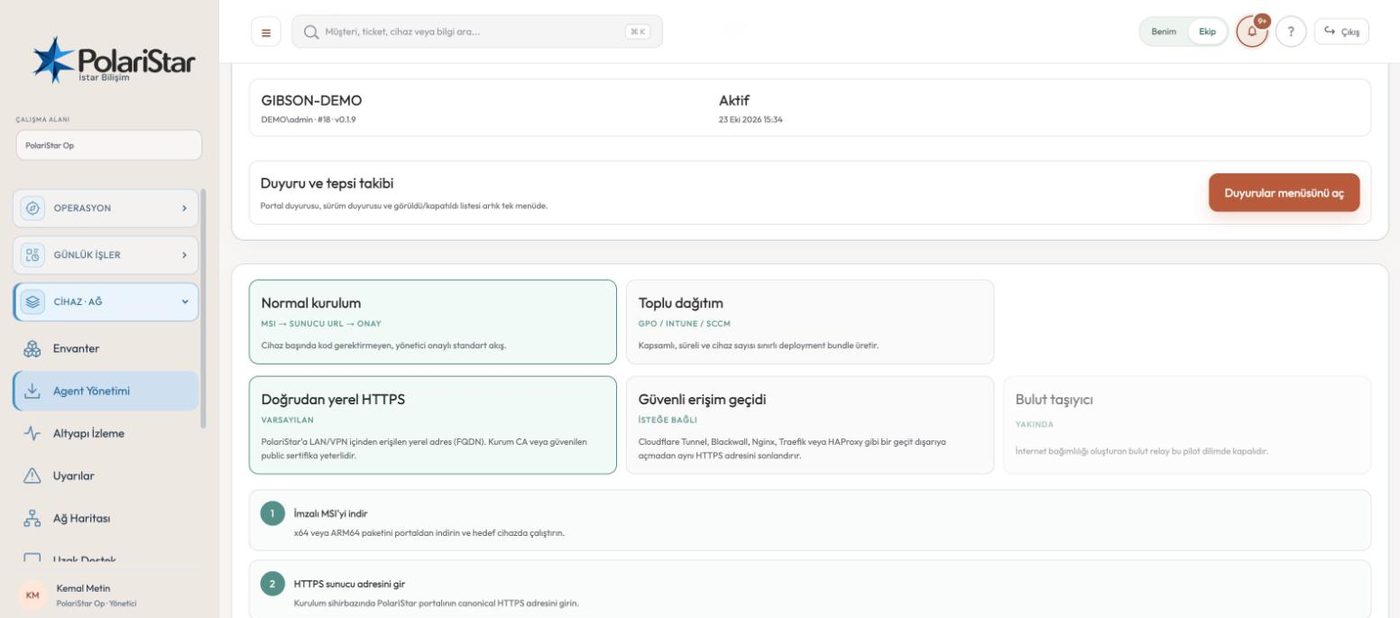
Every workspace has its own enrolment key, generated from the Agent Management screen. At install time the portal address and that key are supplied together, so the device ends up under the right tenant. An agent installed with the wrong key lands in the wrong place — that is the known source of the “why did this show up in my account” confusion.
No device enters inventory unapproved
A finished install does not write the device straight into the list; it lands in the Pending device approvals queue. An admin picks the scope — the organisation or one customer (a department in organisation mode) — and approves or rejects it. The agent polls for that decision and only receives its own identity after approval. In a multi-tenant install with no default tenant set, nothing is auto-selected; the admin decides the scope.
The agent is optional
For switches, routers, firewalls, printers and UPS units the default path is read-only SNMP, and nothing is installed on them. The agent goes only on PCs and servers, where operating system, service and session detail matter. Endpoint count and inventory coverage are not the same number.
Approval-based remote support
A remote support request depends on user approval, and the request is written to the audit log through requested → delivered → consented / denied / revoked / expired transitions. Consent, scope and expiry are required parts of the design, not a convenience you switch off. The Remote Support screen is an operations queue: which request is in which state on which device, on one page.
Outbound-only connection
The agent opens the connection itself, to the portal’s canonical HTTPS address. No listening port is opened on the endpoint, and RDP and 3389 are not used. Because nothing needs to be punched inward into the customer network, you are not asking for firewall exceptions.
x64 and ARM64 packages
The MSI is built from WiX v4 sources for x64 and ARM64, with packaging driven through GitHub Actions. A production package has to pass the protected signing gate and Authenticode verification. Output with PILOT-UNSIGNED in its file name is not production ready, and the portal shows it only when the unsigned-pilot flag is explicitly on.
Bulk rollout without a stored password
Agent Management → Bulk deployment lets you pick the scope, a maximum device count and a validity between 1 and 24 hours, then download a customer-bound bundle; MFA is required for the download. The bundle holds no permanent agent password, only a short-lived revocable grant that can optionally be restricted to an IPv4 CIDR. The same silent install command works with GPO, Intune, SCCM and PDQ. With no artefact present the portal stops without issuing a grant and shows the missing build command.
HTTPS by default, HTTP as an exception
The portal address has to be a canonical HTTPS FQDN; the install wizard will not quietly accept a raw IP or an unencrypted address. Trying HTTP for an isolated lab or pilot takes two separate explicit opt-ins: an environment flag on the server and a lab checkbox in the MSI screen. That mode does not encrypt traffic and is not for customer data.
Turkish install and removal path
The agent side ships with a Turkish surface: Kurulum.cmd and a system tray application. Install, removal and management scripts come in the package; removal is gated by a protection password, so a user cannot simply take the agent off. A version upgrade and a real uninstall behave differently, and revoking the portal-side record is a separate step.