PolariStar — İstar Bilişim Türkçe Request a demo

← All modules

Deployment

Local Collector

Runs on the customer LAN and only connects outbound.

The collector is a small box placed on the customer network. The deployment model is fixed: you do not install the whole product at the customer, you open a workspace for them at the centre, and if local network visibility is needed you put only this thin box on site. It scans read-only over SNMP, falls back to the vendor's read-only REST interface where needed, and pushes the result into the customer's own workspace. Nothing is ever dialled from the centre into the customer network — the flow goes one way.

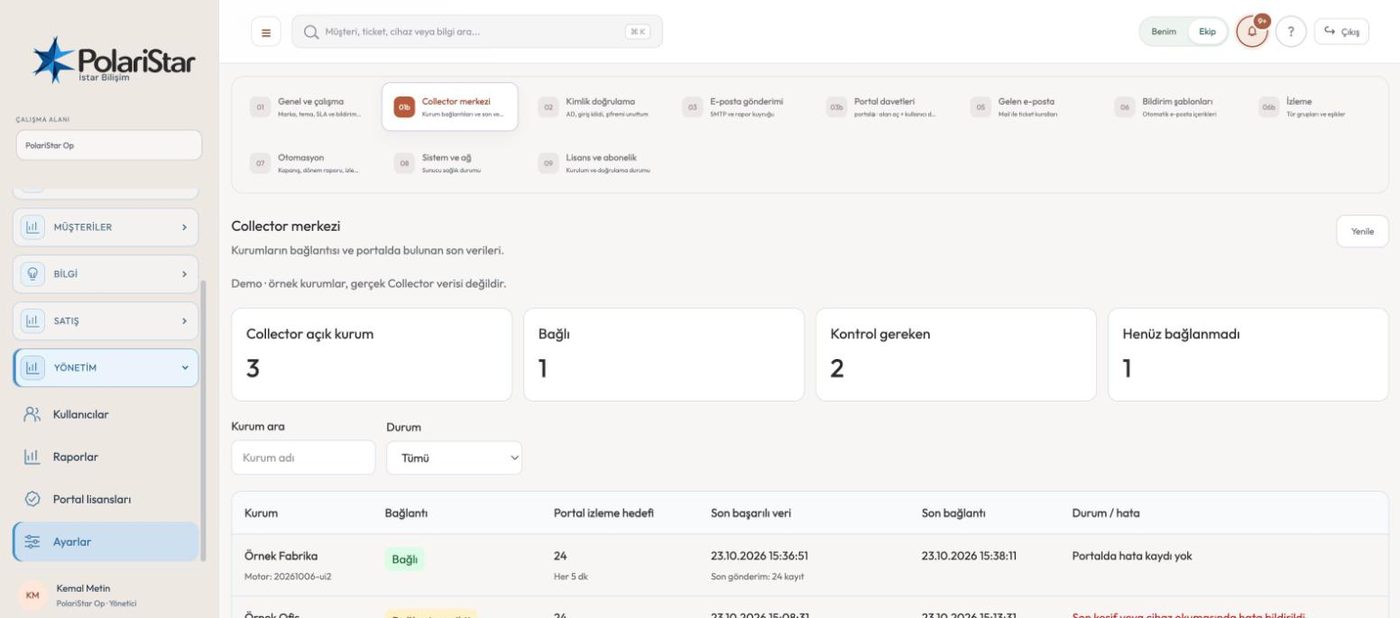
From the PolariStar panel, with demo data.

One deployment model: open a workspace, add a box

The default path is not a full install at the customer. A workspace is opened for them at the centre, and their users, tickets and inventory live there. Only if the local network has to be seen does a thin collector go on site. A customer who deliberately wants the full product on their own server is a separate install, not a replacement for this path.

One-way flow, no inbound ports

Traffic goes from the site to the workspace, never the other way. No new internet-facing management port is opened on the customer firewall; the box uses outbound HTTPS only. The customer side always initiates the connection.

Nothing is written to devices

Collection is read-only end to end. Credentials are held with read permission, and a write-capable SNMP community never goes onto the box. The argument is simple: the box already sits on the customer LAN, it writes nothing to devices, and it is the only component that reaches out.

The customer owns the inventory

Each customer pulls their own inventory into their own workspace. Nothing is copied to the provider's console automatically. The customer picks record by record what to share, and the other side accepts or rejects it in a sharing queue. Anything not accepted stays invisible.

Collection without forcing agents

There is no requirement to put an agent or WMI on every device. The order of sources is explicit: read-only SNMP v2c/v3 first, the vendor read-only REST interface where that is not enough, and an endpoint agent only when PC or operating system detail is needed. Switches, storage and virtualisation stay agentless.

Vendor clients

When SNMP does not tell enough, data is read from the vendor interface, still read-only. Clients exist for NetApp ONTAP, IBM Storage Virtualize and VMware vCenter, so capacity, disk bays and cluster state come from the source rather than from guesswork.

Device profiles

Each vendor gets a profile: which protocol, which enrichment, which panel on screen. The profile file is the equivalent of a classic monitoring template, so adding a vendor means writing one profile. This is why the screen does not turn into one undifferentiated pile of SNMP values.

CIDR scanning, wide ranges included

Private ranges from /8 to /32 are supported. Wide ranges are split into chunks and run through a queue; handing over a large range does not get the scan blocked.

Shipped as a ready box

The Docker-based package installs with a single command, and a first-boot wizard asks on the console for host name, network, portal address, install key and office range. A seed/OVF path exists for shipping it as a virtual machine, and the same file can be handed to everyone: write access comes not from the file but from the key generated in the workspace plus the registered egress IP list. Hardware expectations are modest — 1–2 vCPU, 1–2 GB RAM, 10 GB disk.

How PolariStar is deployedA three-layer flow diagram. Devices at the customer site, plus a thin local collector, push data outbound only into the customer's own workspace. Inventory and the local network stay there. The service provider, PolariStar Op, sees only the records the customer chose to send and Op accepted. The flow runs one way.Deployment model — where the data rests, which way it flowsSITECustomer siteNetwork gear, servers, PCs and a thin local collector.The collector scans read-only and pushes into its own tenant.CUSTOMERThe customer's workspace (tenant)Inventory and the local network stay here, separated by tenant scope.The customer sees their own devices, requests and reports here.SERVICE PROVIDERPolariStar OpOp sees only records picked for sending, after an approval queue.End users never see this sharing menu.One direction: outbound connections onlyNo inbound port is opened to the site; the collector dials out.Only what has been accepted is shared1 pick a type → 2 add devices or text → 3 Op accepts.Customers do not get a full install: a tenant is opened from the Oppanel, and a thin collector goes on site only when local networkvisibility is needed. A fully offline package applies only if a customer wants the whole product on their own server.

Putting a collector on a customer site

  1. 1A workspace is openedIn the operations centre you either link an existing support customer or create a new name, and open their workspace. The first move is opening the space, not installing anything on site.
  2. 2Egress IP and install keyIn the workspace's LAN inventory settings you register the customer's office egress IP and generate the install key. An empty list means writing is closed: the key alone is not enough. The key is shown once on screen and is not passed around in messages.
  3. 3The box is installedThe install script in the package is given the portal address, the key, the range to scan and the read-only community. It writes the configuration and brings the service up. On a virtual-machine box the first-boot wizard asks for the same answers.
  4. 4Scanning is switched onThe box asks for its control record about once a minute. Turning monitoring on, changing the interval and asking for a scan now all happen in the workspace; there is no settings screen on the box itself. On-site IT only opens the local status page to see whether it is running.
  5. 5Results land in the customer's workspaceDiscovered devices arrive in the customer’s own workspace. Discovery and inventory stay separate: a discovered device is not added to inventory without approval, it is reviewed first.
  6. 6The customer chooses what to shareOn the sharing screen they set the type, subject and description, and tick the devices to include. Only the ticked ones leave; the LAN and the rest of the inventory stay with the customer.
  7. 7The other side accepts or rejectsWhat was sent lands in the sharing queue. If the provider accepts, the record appears in their console; if they reject, it does not. The collector never writes anywhere by bypassing that queue.

Frequently asked

Do I have to install the whole product on the customer server

No. The default path is a workspace at the centre, plus a thin collector on site if local network visibility is needed. Installing the full product on a customer server is a separate job that only applies when the customer deliberately asks for it. Mixing the two up counts as an obvious mistake in this project.

Will they have to open a firewall port for me

No. The box uses outbound HTTPS only and the customer side always starts the connection. If you need one-off remote access to a device there is a temporary bridge: off by default, with a duration and a source IP list set in advance, and it closes itself when the time runs out.

Can the box harm my devices

Collection is read-only; no configuration is changed and no write-capable community is placed on the box. It sits on the customer network and is the only component that reaches outward. There is also a rule against inventing alerts from misread values: an implausible capacity or environment reading is rejected.

Does my inventory go to the service provider automatically

It does not. The collector runs one way and its target is the customer's own workspace. The provider sees only the records the customer chose to share and that were accepted in the queue. Ownership stays with the customer.

How much capacity should I give the box

On a Linux machine running Docker, 1–2 vCPU, 1–2 GB of RAM and 10 GB of disk are enough. The network card does not need promiscuous mode. If you already have a server, the same package goes on it; no fresh operating system is needed.

Is the module finished, and where is it weak

The collection loop, the vendor clients, the packaging and the first-boot wizard work. The weak spots are worth stating plainly: there are no automated tests for the collector clients or SNMP discovery, and health data coming from server management cards still has known problems. Both are on the active development list.

Who it helps

MSPs that want agentless monitoring on customer sites, and organisations that do not want their inventory leaving their own network.

Related modules

See it on your own operation

Let us open a workspace for you and try it with your own customers and devices. We will guide you through setup and data migration.