Ten tabs, ten subjects
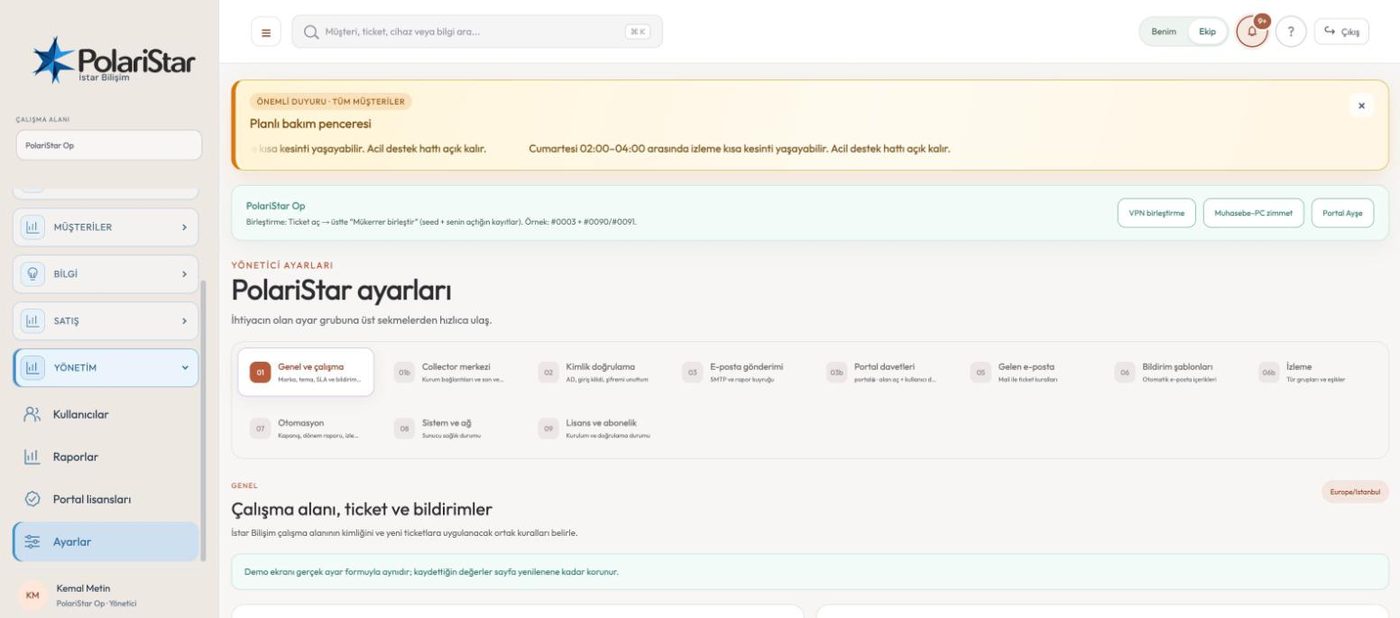
The tabs fall into four groups: the workspace itself (general and working hours, Collector centre), identity (authentication, portal invitations), email (sending, inbound rules, notification templates) and operations (monitoring, automation, system and network). Each tab saves on its own; editing one does not disturb another.
Notifications follow people, not roles
A fixed product rule: being an administrator does not mean receiving every ticket email. Notification subscription is per user, never per role, so promoting someone never fills their inbox. It removes the classic complaint — “I made them an admin and now they get 200 messages a day”.
Permission groups
Roles and operation permissions are defined here, and the restriction is not just a hidden menu — it is enforced in the API and query layer. A technical role never sees sale price, cost or margin. A sales role sees detailed technical solutions only with an explicit grant. Staff accounts and operation permissions are managed from the Users screen, not from a settings tab.
The authentication tab
The directory connection (AD/LDAP), login lockout and the password reset flow sit in one place. Failed login attempts are recorded; once a threshold is crossed the account and the source IP are locked for a period, and password reset runs through a single-use link. Directory integration exists but is not mature: field installs hit DNS resolution and private CA certificate validation problems, and that work is still open. The product runs on local accounts without a directory.
MFA is per user
The second factor is set up with Google or Microsoft Authenticator and belongs to the person. It is not mandatory for the first administrator during setup — it can be enabled later from the My Account screen. An invited user, however, cannot reach any data before setting their own password and Authenticator on first login.
Email split across three tabs
Outgoing mail (SMTP and the report queue), inbound rules (which message becomes a ticket, under which condition) and notification templates (the text that actually goes out) are deliberately separate, because the three change at different times and by different people. The portal invitations tab is for opening a portal area for a customer or department and inviting that portal's user.
Monitoring thresholds and automation
The monitoring tab defines device type groups and thresholds, so a switch and a storage unit are not measured against the same limit. The automation tab holds scheduled work: ticket closure, period reports and monitoring notifications. A threshold change shows up in the alert list; an automation setting shows up in the queue.
Branding, theme and working hours
The general tab keeps the logo, brand name, working days and SLA targets. There are three themes: the default warm one, ocean (blue) and graphite. Organisation mode opens blue by default, but the theme is a workspace setting and can be changed.
System and network — it reports, it does not run
Operating system and kernel version, Docker/Compose version, pending security updates, whether a reboot is required and the last maintenance date are all read from this screen. It reports status and offers a safe maintenance checklist; the web application does not run arbitrary shell commands or package updates as root. That is a deliberate boundary rather than a gap: whoever reaches the panel should not thereby own the server. Operating system work happens on a separate management surface or over SSH.